Building Mod
The packaging and uploading process for the truck mod is almost identical to the general processes described in the Build & Upload Mods article. There are two main differences:
- The mod category.
- The content included in your mod.
Mod category
When you set up your mod in PROS, select the Vehicle mod category tag. Even if your mod is mixed (for example, a single package includes a custom map with custom trucks), make sure to select the Vehicle category. Otherwise, the in-game functionality related to the mod operations (especially in co-op) might break.

Mod content
In the Assets section, click Add Asset and specify the mod files:
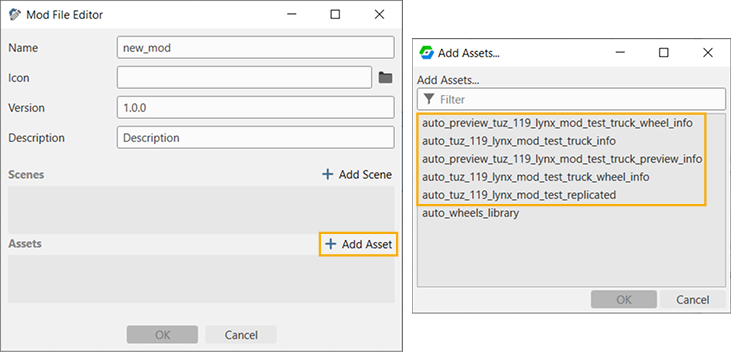
Add the following resources that are relevant to your truck:
auto_*_truck_info.sso.resourceauto_*_truck_wheel_info.sso.resourceauto_*replicated.sso.resourceauto_preview_*_truck_wheel_info.sso.resourceauto_preview_*_truck_preview_info.sso.resource
Where * is the name of your truck, such as tuz_119lynx_mod.