Materials
The main work on materials takes place in Mod Editor (see the Material Setup article). The main task during the modeling stage is to separate different surfaces of the model according to the materials that will later be applied to them: metal, plastic, etc. Assign different materials to create material slots — they are used to assign specific material_instances in Mod Editor.
At this point you only need to:
- Define the material names.
- Assign them to the relevant parts of the model.
Note
Add the textures (.tga files) separately in Mod Editor.
Info
Proper UV unwrapping is required for correct texturing. To learn more about unwrapping, see the official Blender documentation.
Naming
Material names must follow the common naming scheme:
- Use only Latin characters and digits.
- The only special character allowed is the underscore:
_. - Do not use spaces in names.
- Do not use dots in names.
Postfixes
Use standard types and postfixes for materials.
Note
Before exporting, disable any textures applied to the materials. Make sure that simple materials are used.
| Postfix | Description |
|---|---|
vehicle_body_mat |
Truck's main body |
hp_vehicle_cabin_mat |
The high-poly interior of the cabin |
lp_vehicle_cabin_mat |
The low-poly interior of the cabin |
hp_vehicle_glass_inner_mat |
High-poly interior windows |
lp_vehicle_glass_outer_mat |
Low-poly exterior windows |
vehicle_rain_wipers_mat or vehicle_rain_raindrops_mat |
raindrops on windows and wiper trails |
hp_vehicle_interior_glass_mat |
Dashboard glass |
hp_cab_interior_gauges_mod |
Dashboard emissive material |
vehicle_lights_mat |
Headlights |
marker_lights_mat |
Marker lights |
stop_lights |
Brake lights |
vehicle_mirror_hp_mat |
Mirrors with complex reflections from the first-person view |
vehicle_mirror_hp_cubemap_mat |
Mirrors with simple reflections from the third-person view |
vehicle_mirror_lp_mat |
Mirrors from the third-person view |
vehicle_tire_material_mat |
Tires |
cutoff_volume_surface_mat |
Geometry that cuts off water and grass inside the cabin |
decal_mat |
Decals |
sfx_mat |
Invisible geometry for SFX |
cdt_mat |
Collision geometry |
All materials must be simple, uniform, and with default parameters (for more details, see the Principled BRDF documentation). You can color materials for easier modeling; this also helps assign material instances in Mod Editor later.
Material setup examples
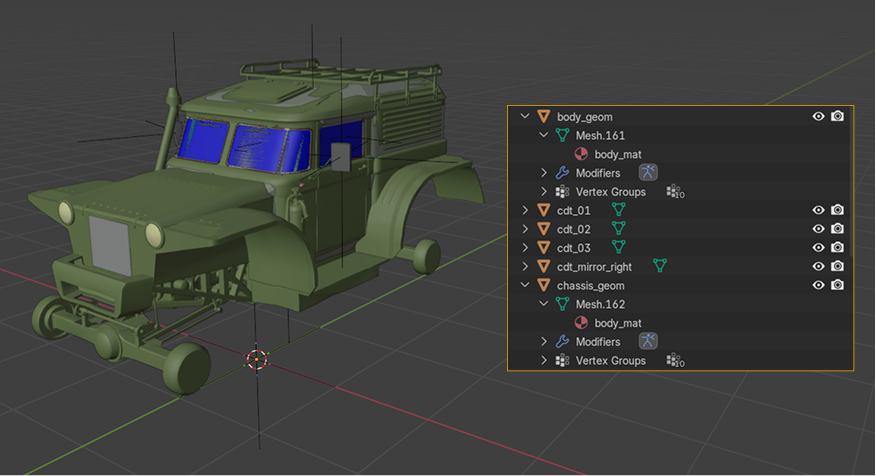
The truck requires at least one material for both the body and the chassis (in our sample it is body_mat).
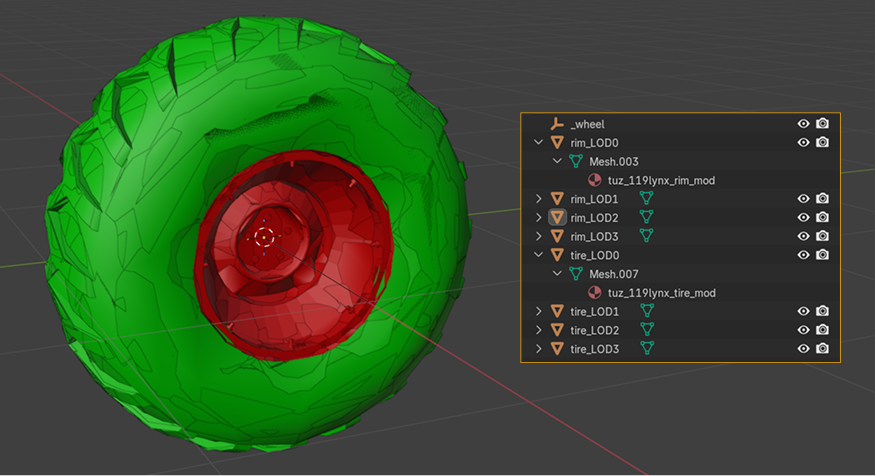
Wheels require separate materials for the rim (tuz_119lynx_rim_mod) and the tire (tuz_119lynx_tire_mod).