Animation
Setting up animation
Do not set up the animation directly on the mesh. To set up the animation correctly, follow these steps:
-
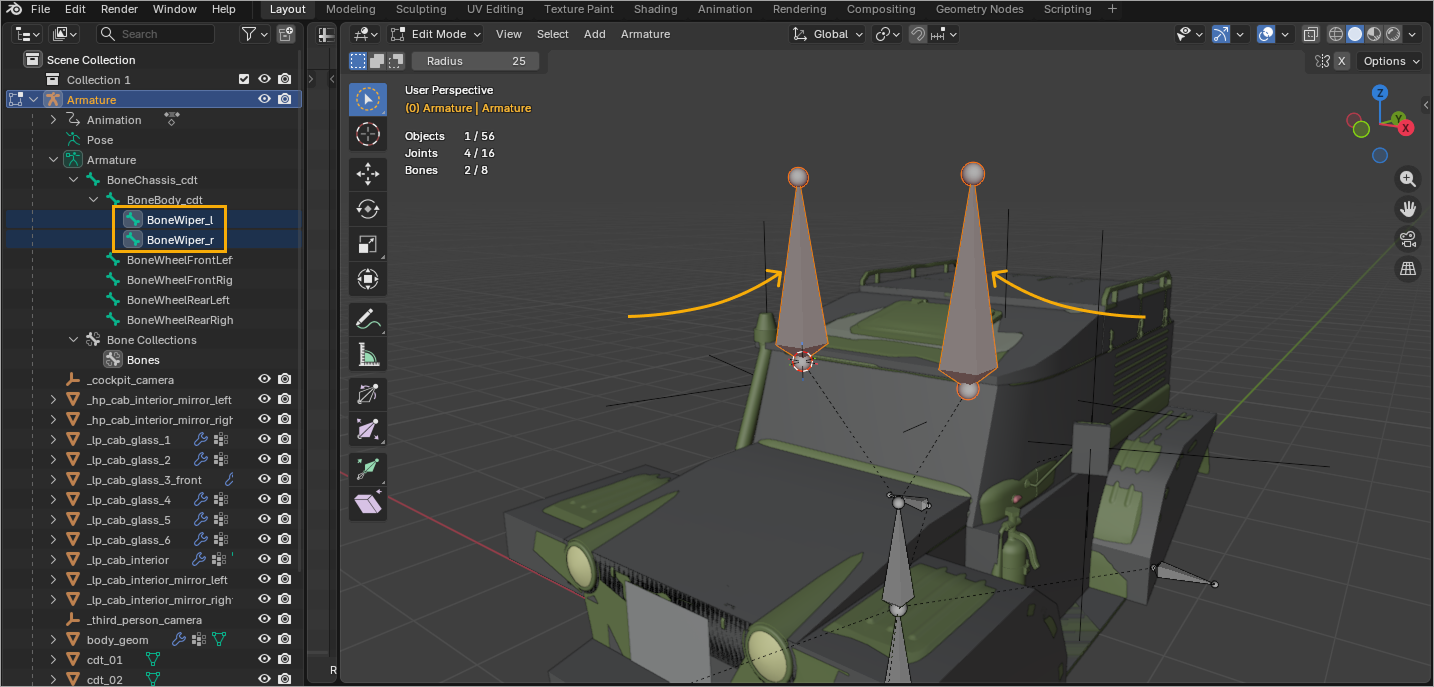
Create a bone and place it correctly in the bone hierarchy.
-
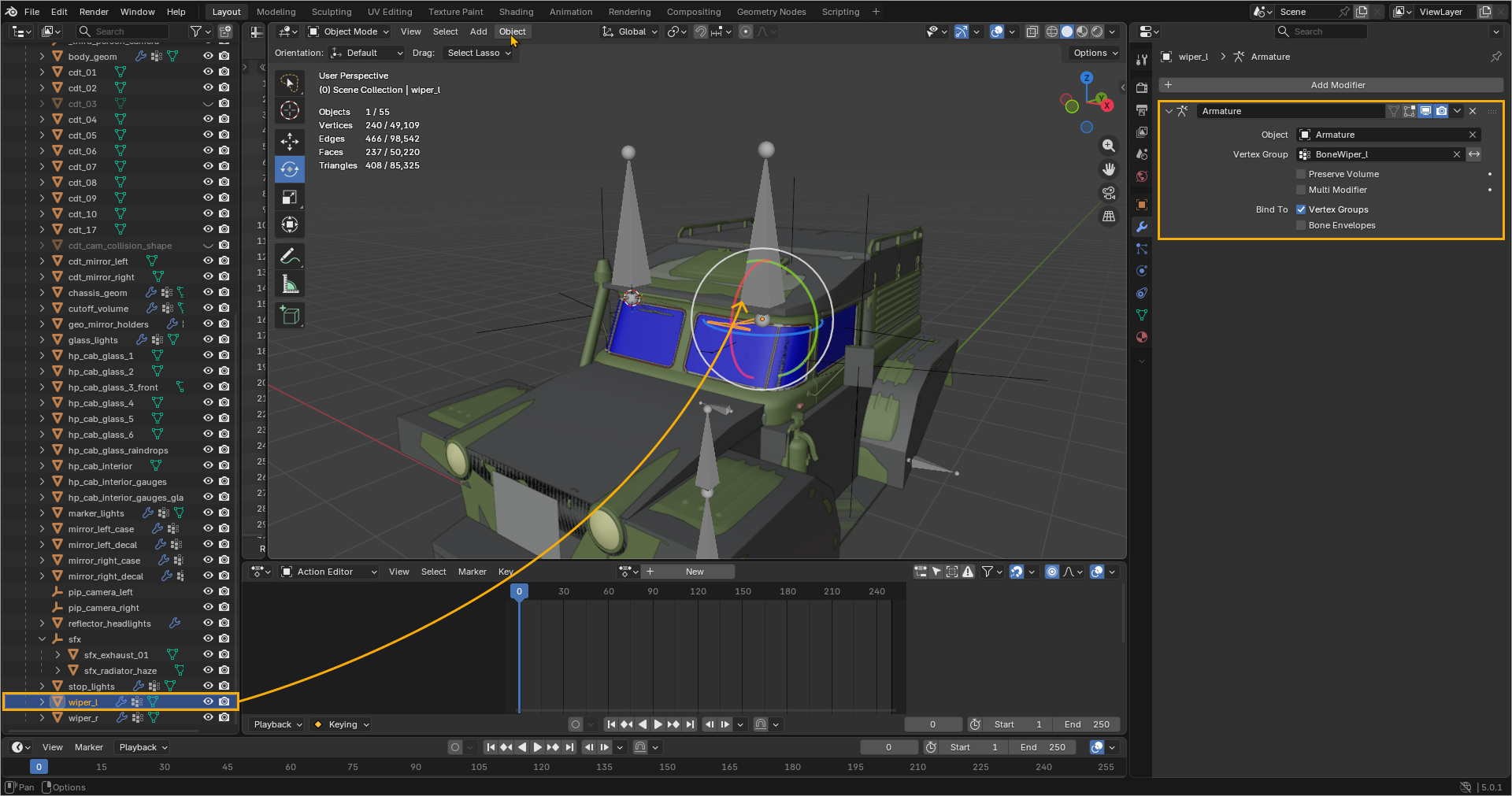
Skin the required object's mesh to that bone (in this sample — wipers). Note that using Bone > Parent is not enough.
-
Make sure that in the spreadsheet, all vertex weights of the mesh are assigned to this bone (in this sample the recommendations apply to wipers and rigid skinning). Then, apply the animation to the bone itself — not to the mesh.
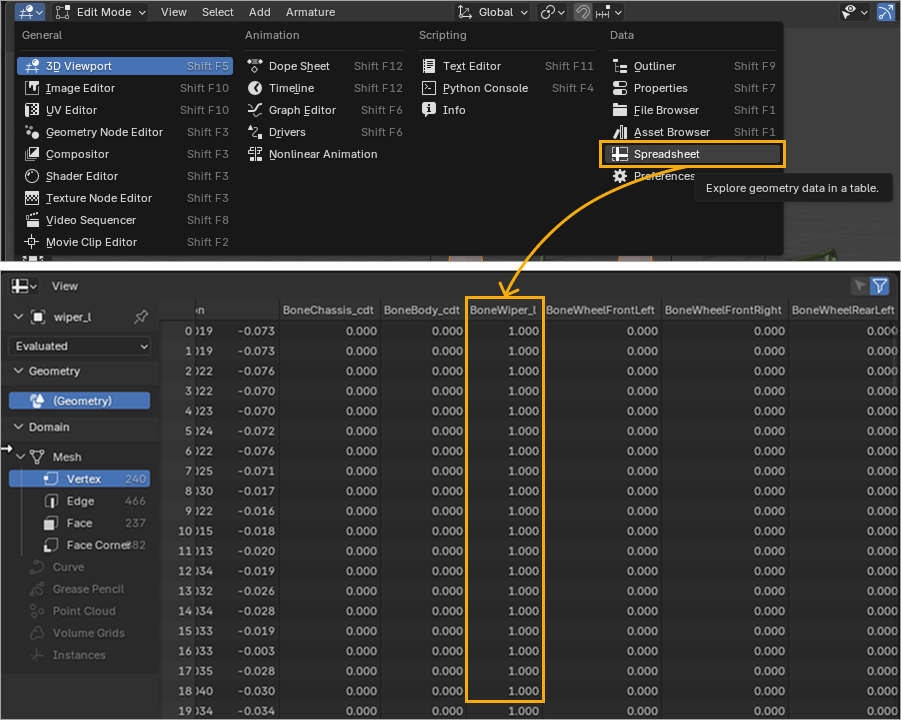
Specifics of preparing animations in Blender
Armature
The name of Armature and the name of the Armature object are expected to be identical.
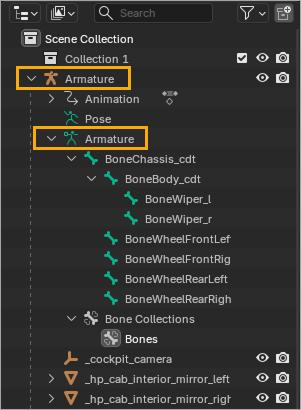
Animation sequences
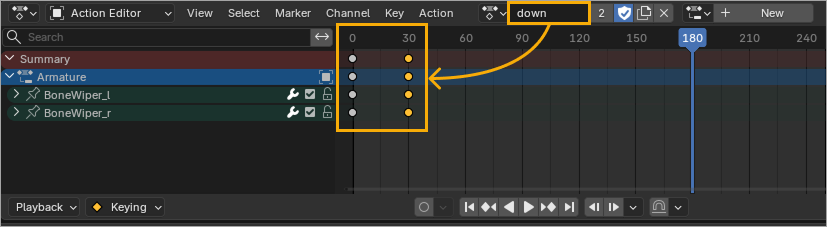
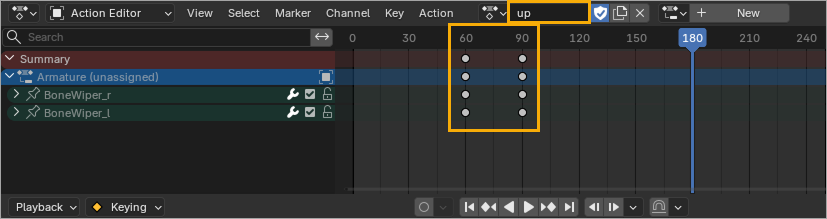
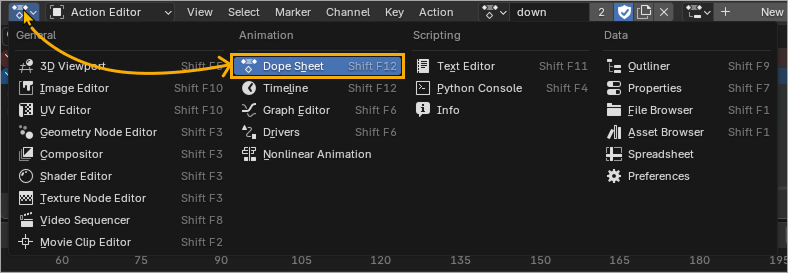
Animation sequences are set up in Dope Sheet > Action Editor.
Enable the Fake User option (see the Shield icon) for each action, so that Blender recognizes this action as being in use. Any data not in use is automatically deleted by Blender, as it is considered garbage (for example, it gets removed when opening the .blend-file).
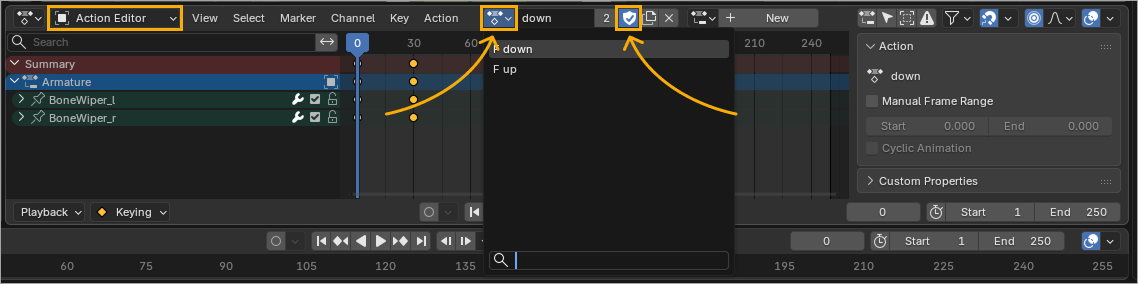
Sequences naming
Keep the animation sequence naming simple, as you will use it in .bro-files to connect the animations. For more details on how to set up the animation in a .bro-file, see the Game Logic article.
Unique timeline ranges per action
Different actions must have their keyframes in different ranges on the timeline. If the ranges are identical or they overlap, the animation sequences may be generated incorrectly in TPL.