Visual and Collision Meshes
Visual meshes
Visual meshes define the truck’s appearance and are rendered in the game.
Create visual meshes using standard 3D modelling techniques. Keep polygon count within recommended limits. Approximate values of polycount for different parts of the truck model at LOD0 (the highest level of detail) are the following:
- External parts of a large truck and low‑poly interior — 100–120k triangles (approximately 10% is the low‑poly interior).
- External parts of a passenger car and low‑poly interior — 50–80k triangles (approximately 10% is the low‑poly interior).
- Internal high‑poly interior for the first‑person view — 30–40k triangles.
- Tire — 2–3k triangles.
- Wheel rim — 1.5–2.5k triangles.
Meshes in the model
Let's examine the scout model — tuz_119lynx_mod.blend. The file is available in the %userprofile%\Documents\Saber\IntegrationStudio\mods_source\models\mods\tuz_119lynx_mod.tpl.asset folder.
The model has two visual meshes:
| Truck body | Chassis |
|---|---|
body_geom |
chassis_geom |
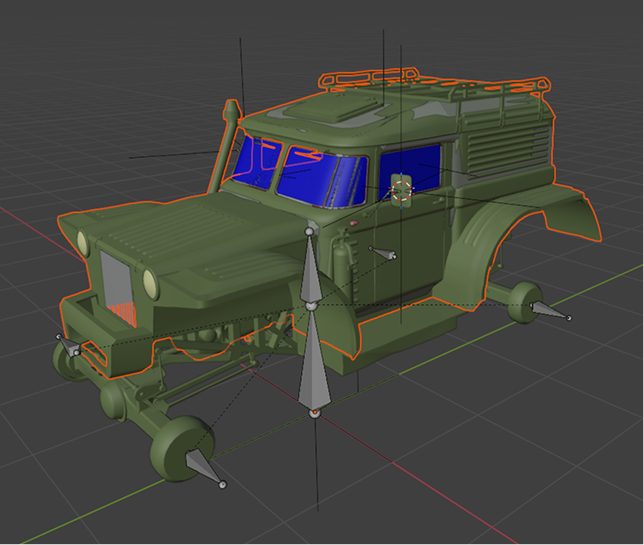 |
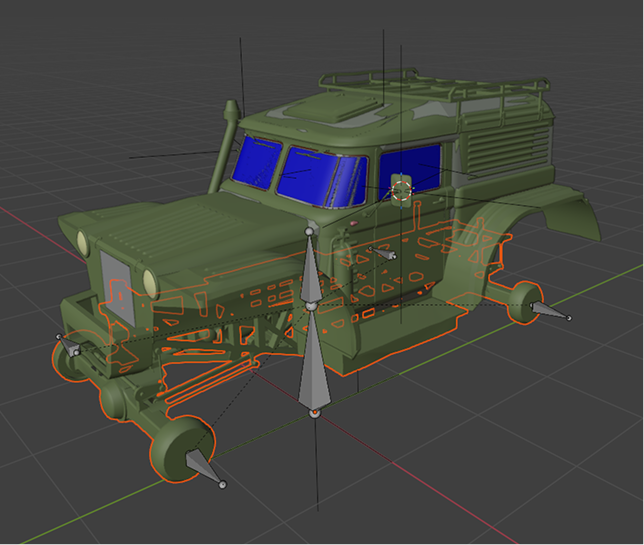 |
Info
Creating these meshes in Blender requires basic skills, so we are skipping those steps here. For users new to Blender, we recommend starting with the Blender Manual.
Collision meshes
Collision meshes handle collisions in the physics engine.
The model has collision meshes for both the truck body and chassis to enable physical interactions in the game. For complex objects like a truck body, collision meshes must be composed of multiple convex shapes.
Note
Using non‑convex objects (such as wheel cutouts) can cause bugs in collision behavior. The game engine requires collision meshes to be convex and will automatically convert any non‑convex geometry, potentially resulting in inaccurate collision shapes.
To set up the collision meshes:
- Break the truck body model into simple, separate convex shapes.
- Focus on essential collision areas — the shapes do not need to cover every internal detail. Pay attention to parts that interact with the environment.
Naming
- All collision meshes must start with
cdt_. - The remainder of the name can reference the associated truck component (e.g.,
cdt_bullbar), although it is not mandatory.
Example
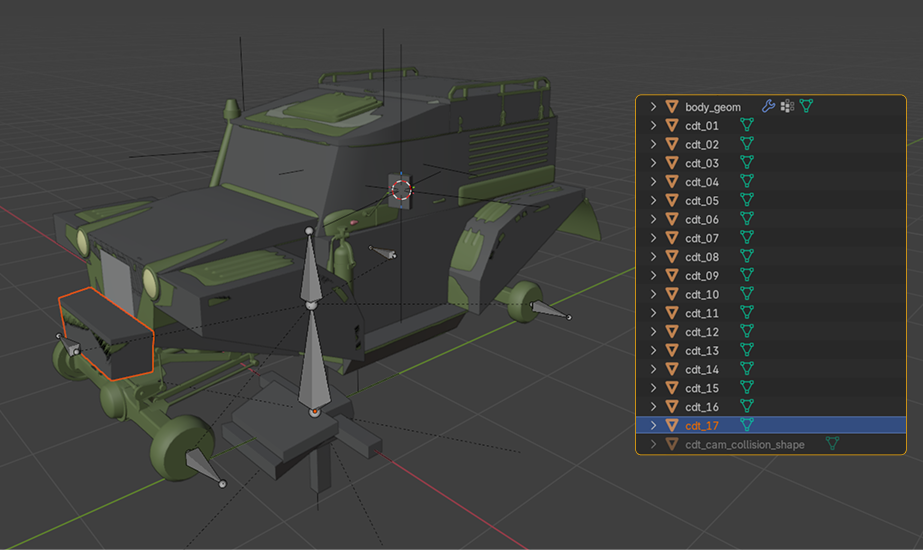
The model tuz_119lynx_mod.blend includes multiple convex collision meshes.
- The body collision meshes follow the truck’s outer shape, but only in areas where physical interaction with the environment is expected: front bumper, sides, underside, etc.
- The chassis collision meshes can be simplified into essential convex boxes — space them apart to prevent intersection.
For advanced modeling examples, study the Blender source files of the scout and the truck models, which are part of the Mod Editor suite:
%userprofile%\Documents\Saber\IntegrationStudio\mods_source\models\mods\tuz_119lynx_mod.tpl.asset%userprofile%\Documents\Saber\IntegrationStudio\mods_source\models\mods\aramatsu_crayfish_wood_grapple_mod.tpl.asset.